Showing posts with label #bat detector. Show all posts

Saturday, July 11, 2026

Looking for The Next Bat Detector for Review!

Well… For now, I’d just like to say Thank You to The Netherlands! 🇳🇱 

There will be 2 new bat detectors tested and reviewed here in the near future…

One is an improved version of a design which has been available for almost a year now. 

The other, is a brand new, USB-based unit which has some amazing specs and features! I’m excited to try it out!

If you are a manufacturer of any of the following, and would like to have your equipment featured here, please contact me:

  • Bat detector/recorder
  • Parabolic Dish Microphone system
  • Hydrophone system
  • Night vision device
  • Thermal imaging device

A device capable of recording both audible and ultrasonic sounds would be ideal - I’m planning to target both bats and small terrestrial mammals this year.

Happy bat detecting!

Friday, March 1, 2024

Review: The Ranger - From Titley Scientific

The Ranger is a brand, new, cutting edge, wildlife recorder, which has just been released from Titley Scientific.

Building upon the success of their Chorus and AnaBat Swift Titley has developed a fully customizable, long-lasting, wildlife recorder.

Photo credit: Titley Scientific

It features:

  • Three microphone ports.
  • The ability to choose from a wide range of microphones.
  • With Titley‘s currently available microphones, many different combinations are possible.
The Quick Start User Guide.

Two audible microphones, and one omnidirectional Ultrasonic microphone.


A quick peek at the Titley ranger powered on.


The Ranger’s main specifications are as follows:
  • Physical size: 194 x 123 x 50mm (7.64 x 4.84 x 1.97 inches).
  • Weight: 478 Grams (16.86oz.) without batteries.
  • it may be powered by: 4 or 8 AA size batteries, external power sources, or solar (optional kit available).
  • Sample rates: 500, 384, 320, 192, 96, 48, 44.1, 32, 24, or 22.0 5 Ksps.
  • Frequency range: 20Hz to 250kHz.
  • 2 SD cards supported (up to 1TB each)
  • GPS - The Ranger performs daily fixes, and supports GPS enabled transect mode.
  • 3 Channels: 1 Front mounted, ultrasonic or acoustic, two sides (acoustic only). simultaneous recording.
  • Headphone jack for FD output (ultrasound) and stereo acoustic.
  • File Output: Full spectrum (wav), ZC, GPS (.gpx), Temperature (.csv).


The Ranger unattended bat/wildlife sound recorder, has the ability to use many different microphones. Among the commonly selected options are:

  • Low-profile, side-mount, audible microphone product code: AAAB028 current price $99 US 
  • *Remember to always check Titley’s website for prices*
  • Omni directional acoustic microphone AS-0 product code: AAB016 V1 $225 US
  • Directional Ultrasonic microphone US-D product code: AAAB013 V1 current price $325 US 
  • Omni-Directional Ultrasonic Microphone US-O V3 product code: AAA012 V3 current price $199 US
The Ranger arrived to me, here in New York (from the headquarters in Australia) in a heavy-duty, black plastic bag with embedded bubble wrap:


And inside of that black package…


And finally upon opening the box:

Remember that your (chosen) microphones are under the cardboard flaps.

Additional specifications: 
  • Housed in a camouflage, weatherproof/shockproof (IP67) with tripod mounting hole.
  • 2.4 inch color LCD touchscreen display.
  • Warranty: Recorder 2 years, Microphones 1 year.
  • Lockable security box, microphone, extension cables, power lead, and solar panel Kit are all available options.
Some additional items of interest include:
  • The microphones are indeed “weatherproof, and highly sensitive”.
  • When testing the headphone jack, with default settings, the output was very sensitive and accurate. As sensitive as any microphone I’ve ever tested.
  • Batteries are stated to last 100 nights (ultrasonic) or 700 hours acoustic (depending on temperatures).
  • The Ranger may be configured as: mono or stereo – acoustic, as well as Ultrasonic – simultaneously.
The new Ranger, deployed on carbon fiber tripod (on my deck).
The resulting recordings (Northern Barred Owls & Coyotes, will be featured on my YouTube Channel soon...

Here's an unboxing video:


Additional accessories available, include:
  • Chorus and Ranger security box and cable lock product code: AAAB032 $145 US *Please remember to check the Titley website for current prices*
  • Solar panel kit for the Ranger (is provided with everything needed). Solar Panel for Ranger or Swift product code: AAA034 $120 US
  • Ranger accessories bundle: case, microphone cable, and USB cable product code: AAAB035 current price $70 US
Quick Start User Guide:
  • Informs you of AnaBat Insight software (With QR code).
  • Refers you to the user manual (via QR code).
  • Firmware updates, Titley website, AnaBat user community, and YouTube channel are all provided via QR code squares.
  • Microphone care guide.
  • How to start recording with your Ranger.
  • Inserting microphones.
  • Selecting, recording mode: a.) custom, b.) day only, c.) dusk and dawn, d.) Night only, e.) continuous
  • Select microphone settings.
  • Information about GPS.
  • Final checks, etc.
  • Testing/ensuring all is OK using the magnet on lanyard.
On the subject of batteries…
  • I installed the Duracell optimum batteries to start with. They only lasted about one full overnight session.
  • The energizer batteries, I replace them with fared much better: providing several nights of recording.
  • Those were replaced with Kodak brand AA batteries.
This was definitely a case for eneloop brand batteries. And I promptly ordered some.


The Ranger creates several file folders by default, whenever it records. These are Recordings – main folder/root, which then contains three subfolders: Acoustic, FS Ultrasonic, Simultaneous. This turned out to be very convenient in practice. 

The latest firmware adds, a host of brand new features!


Things I like - Generally speaking:
  • The features it has.
  • The fact that it can use 2 audible and 1 ultrasound microphone simultaneously.
  • It’s robust design (similar to previous models).
  • The ease of deployment – easy to choose/preset mode selection.
Detailed Battery status 


One of my local bats, just having a snack...
Having a look at a Ranger FS recording (just a peek at the spectrogram) with AnaBat Insight software.

Amoung some of the interesting, and/or unique features of this new unit, are things like:
  • The ability to input an Asset Tag Number.
  • Ability to set the sensitivity of the attached microphones, etc.
  • Being able to set what the voltage level should be, for external power cutoff (the default is 10v).

Pros:
  • With microphones supplied: it is extremely sensitive.
  • Creates clean, accurate, recordings.
  • Default settings, produced excellent sound quality recordings – well balanced/no clipping.
  • Excellent/detailed battery status information.
  • Ease of deployment – easy to choose modes – via mode button.
Cons:
  • May be considered relatively expensive.
  • Bluetooth connectivity would've been nice.
Obviously, Titley wildlife sound recording products have a loyal following, worldwide; and for good reason: They produce professional-level products. Their recorders are used and trusted by many of the world's top researchers, et al.

Those who are loyal customers of Titley, will be happy to see many of the great features they have come to expect from this brand. Things like:
  • Ease of deployment.
  • Accurate, professional audio recordings.
  • A myriad of customization features, as well as scheduling, etc.
Currently, you can order the new Ranger units, right on Titley's website!

I plan to add some more Ranger-specific tips & tricks to this review soon... There will also be some audio files...either here, or on my YouTube channel.

Some additional tidbits: I've recently learned that one (US-based) group studying wolves, sets their recorders to:
  • Record between 6am - 6pm
  • 22kHz sample rate, 12dB of gain
  • 200-750 for mid max frequency
  • 1.5 to 60 second recordings
Also, that coyotes typically vocalize at 600Hz on the low end.

Another (US-based) group, studying Barn Owls:
  • Set their recorders to record at 30-60 minutes after sunset / and 30 minutes before sunrise.
  • Set their sample rate to 12kHz - for Barn Owls (24kHz for other owls).
  • Often record in 30 minute blocks
  • Set their gain to 24db
  • Frequency 1.5 to 3.3 Hz
  • Detection length to 0.3 to 1.2 seconds
  • Maximum inter-syllable gap to 0.001

Until next time,
Happy bat detecting!

Thursday, August 24, 2023

A Brief Review Of Three Software Applications For USB Microphones

A Brief Look at 3 Software Applications For USB Microphones


Each of these applications are available from their respective locations on the Web. Each may be reached by clicking on it's name/link above. 


The Mics used for these tests

What are they?

  • The Ultramic Evo 384K from Dodotronic
  • The PiPPYG (DIY) from Omenie.com (Phil Atkin)
  • The Brand-new (not-yet-released) AudioMoth USB Mic

Back to the software...

Bat Recorder, for Android smartphones, is found on the Google Play Store, and is listed at a price of $6.99.
AudioMoth Live is found on The Open Acoustic Devices Site, is available for Windows, Mac, and Linux; and is free.
Ultrasonic Analyzer, for Apple iPhones is found on The Apple Store, and is $19.99. Bat Recorder works on Android phones (only), is very bat-friendly, and  packed with features. It seems to be designed with the bat recordist in mind.

AudioMoth Live - Works on laptops - This can be a PC running Windows, Linux, or Mac operating system.
AudioMoth Live is well designed and simple. Perhaps the fact that it's so simple to use, translates into a good design?

Ultrasonic Analyzer - Works on Apple iPhones only, is quite advanced, with several features commonly seen on bioacoustic recording software: Cursor position (area tapped) displays: Frequency, Sound Pressure Level, etc.
This iPhone based App is designed for users who like to have options; there are plenty of customizations available.

Features & Facts - Some Pros & Cons:

Bat Recorder - Will not work with The PiPPYG USB Mic (at the time of this writing). It does work with either of the other two Mics.

AudioMoth Live App - In addition to 'Off' - You have 'Monitor' and 'Heterodyne' while monitoring/recording.
Works well with AudioMoth (obviously) 
Monitor gives you a relatively complete "audio picture" so to speak.
Heterodyne gives you a thin, moveable, white line as a tuning needle. It's free to download from Open Acoustic Devices.

Ultrasonic Analyzer - This App worked well with the AudioMoth USB mic and Dodotronic’s Evo 384K USB mic, and sometimes the PiPPYG mic. You can see high resolution screenshots of this App on the Apple store.

Easiest to use? I'd rank them from best (easiest) to worst as follows:

1. AudioMoth Live - It's so easy to use, you could probably teach a 10 year old how to use it efficiently. And it wouldn't take long! Don't like reading User Manuals? This is for you. It currently tunes down to 12kHz (via built-in heterodyne). 

2. Bat Recorder - Takes some getting used to, and you'll really need to read the (online/Built-into-app Manual) to use it properly. Ideal for anyone chasing bats.

3. Ultrasonic Analyzer - If you like Avisoft's software, then you'll like this App. Reading of the User Manual will also be required. It may be well-suited for those who are interested in recording a larger range of animals.

I can tell you that each of these Apps provide excellent accuracy in the reproduction of sound.

Until next time,
Happy bat detecting!

Sunday, July 23, 2023

Review: The AudioMoth USB Microphone from Open Acoustic Devices

This is a review of the new (yet-to-be available) AudioMoth USB Microphone designed by Open Acoustic Devices.

It is not currently available to the public (at the time of this writing). I must say that I feel privileged and honoured to be the first to get one. I’ve been fortunate to be able to test, review, and publish my thoughts on this brand-new USB Mic.

This very small unit arrives in an appropriately sized box.
(AA-sized battery for scale)


The size, is very small - Specifically: 35mm x 40mm. The weight, is very light!

Unboxing / AA size battery shown for scale 

The price of this unit, has not been officially announced. However, I’m told it will be under $100 US. Based solely on the fact that this small, versatile unit works very well across multiple software applications, I have a feeling it will be quite popular.

Clever business card!

As seen in photos, this unique unit has a green hard plastic outer casing. If you are familiar with some of the documentation provided by Open Acoustic Resources, you will have seen a photo of the Mic in both green and dark blue plastic cases. 


 Page 4 of 4, of the documentation mentioned above.


At this point I cannot confirm whether or not the unit will be available in dark blue, when it is released/available for public purchase.

Back view of AudioMoth USB Mic

From the outside/back view — you can see the area for the Micro USB connector, and a female 3.5 mm jack for plugging in an additional microphone. Or, as mentioned in their documentation "...a hydrophone" 
Thanks! That's all it took to get me thinking about my (unbuilt) DIY hydrophones... 

Having this additional 3.5 mm jack provides a great resource/platform for experimenting with additional microphones - Such as others you have on hand; mini-shotgun microphones, shotgun microphones, and DIY microphone projects.
When a microphone is plugged into the 3.5mm jack, the AudioMoth USB microphone is (temporarily) disabled. 

Inside is a perfectly (snugly) fitted, small circuit board.

Where the magic happens.

 
It's worth mentioning, that this AudioMoth USB Mic is a modified version of the original AudioMoth - With: the battery holder, 256KB SRAM, SD card holder, and real-time clock crystal removed.

I found both the external and internal design to be very well done - it also didn't take long at all before I became very pleased with it's ease of use, and it's general performance.

For a very quick start:
  • Download the free AudioMoth Live App - from the Open Acoustic Devices Website.
  • Out of the box - simply plug in a mini USB cable to the Mic itself, with the other end plugged into a laptop.
  • Launch software - Click the green play button - this begins the spectrum display scrolling from right to left.

I would strongly recommend printing out the documents which you find of most interest, to have to hand for quick-reference. However, for the sake of being thorough - here are the functions behind the switch settings of The AudioMoth USB Mic:

USB/OFF: When the switch is set to USB/OFF the sample rates, gain and filter options can be set through the AudioMoth USB Microphone App above. The green LED will light when USB is connected.

DEFAULT: When the switch is set to DEFAULT the device will enumerate as a USB microphone implementing the set sample rate and gain. The green LED will flash at a rate determined by the sample rate (identical to that of the standard AudioMoth firmware).

CUSTOM: When the switch is set to CUSTOM the device will again enumerate as a USB microphone implementing the sample rate and gain settings as above, and also the requested filter and advanced settings. The red LED will flash at a rate determined by the sample rate (identical to that of the standard AudioMoth firmware). You can switch between DEFAULT and CUSTOM whilst recording to see the effect of these settings.


I generally keep mine in 'Default' mode, for the majority of my recording.


The (proposed) relatively low cost of this USB Microphone will make it an attractive bit of kit for many people. Not just those involved in ultrasound recording (bats!), but those involved in wildlife sound recording in general.
Since it not only excels at recording ultrasonic sounds—it also does a good job of recording audible sounds as well.

Here is just one of many examples of recordings I made: Two Baby Barred Owls vocalizing at night.
Recorded with the brand-new AudioMoth USB Mic from Open Acoustic Devices, at an approximate distance of 15 meters.

This makes The USB Mic a good choice for those who intend on recording both ultrasonic and audible sounds.

This new microphone would also be very good for bat detecting enthusiasts/obviously, as well as those interested in recording other wildlife sounds. 
From my extensive testing, I’ve also concluded that Professionals will find it very useful as well... I find it to be robust, and pleasantly sensitive using it's default settings. You plug it into your laptop, launch the AudioMoth Live App - And it just works! Audio is coming over your laptop's speakers, loud and clear.

I believe it would be perfect for having a listen around an area, and/or before deploying the main/overnight recorders. It would be perfect for confirming the presence of animal vocalizations before deploying other overnight equipment... 

This relatively inexpensive unit, would make an excellent addition to the recording equipment of the typical recording enthusiast. With the combination of being affordable, and providing very good performance. I found the recordings to be on par with several of the detectors available today. 

I've used The AudioMoth USB Mic on: An old Samsung smartphone, running the Bat Recorder App; as well as on an iPhone running Ultrasonic Analyzer. No issues were encountered. 
I've made countless recordings of my local bats, and they were all excellent! During recording, and later on when playing back and analysing. 

These recordings will be shown/played/discussed in an upcoming presentation on The BatAbility Club (on 7/24/2023).
I hope to add some spectrograms to this review in the near future also... For now, here's a recent screenshot:


This is most likely one of my local Big Brown Bats (Eptesicus fuscus)


I'm also planning to add some related material to my YouTube channel, and SoundCloud for convenience. 

To go over the steps/to reiterate:
  1. Install the AudioMoth Live App downloaded from here.
  2. Plug in The USB Mic using the length of USB cable appropriate for your needs.
  3. Wait for your laptop's operating system to detect and recognize The USB Microphone.
  4. Launch the AudioMoth USB Live App Audio.
  5. You want to choose 'File' > 'Enable high sample rate' (typically).
  6. Press the green Play button (starts spectrogram scrolling).
  7. Select 'Auto save file duration' (or capture wav files yourself manually).

When you first plug-in and use this AudioMoth: You will immediately recognize how accurate the microphone is at detecting and reproducing sound. There is also an option to select 'Off' which stops the spectrogram scrolling/screen.
The 'Monitor' setting, gives you the option of monitoring large swaths of incoming sound. You may also select 'Heterodyne' to provide the advantage of a heterodyne bat detector to the incoming sound. 

Pros:
  • Very user-friendly, not much effort required to begin recording.
  • May be used to record ultrasonic and audible sounds.
  • Extremely small and lightweight.
  • Described as splash proof, which means it won't deteriorate from some (accidental) light rain.
  • The AudioMoth Live App works well with The Dodotronic Ultramic Evo384K Mic - It may work with the USB Mic you currently have to hand...

Cons:
  • Omnidirectional only.
  • Not available for purchase yet.

Getting your hands on one of these USB Mics (when they become available to the public) may be different than what you're used to. It depends...


As for where and when to order: I can't say at this time. Stay tuned! And keep checking the Open Acoustics Devices Site, as well as GroupGets and LabMaker (Earth and Ecology page).

Mid-August Update: I'm working on adding just a bit more to this review. Mostly, screen captures and an additional summary.

For now, I cannot emphasize the following statement enough:

The AudioMoth USB Microphone is a simple and robust device, which allows you to begin recording bats quickly, easily, and accurately. Especially when using the AudioMoth Live App on a laptop!

I want to be clear: This new AudioMoth USB Mic is a pleasure to use. The AudioMoth Live App designed for use with it (works with other USB Mics too) is refreshingly simple. I'm very happy with the way it represents what the Mic is hearing, as well as how easily it allows me to save the recordings.


Until next time,
Happy bat detecting!

Thursday, July 13, 2023

The USB Microphone By Open Acoustic Devices Has Arrived!

Just a brief post, for now: The USB Mic, which has just been developed by Open Acoustic Devices arrived the other day (here in upstate NY - From England).

There will be a full review here on the blog in the future. However, the first debut and discussion of it, will be on July 24th, via The BatAbility Club. You may follow this link: The BatAbility Club to find out more about them.

As mentioned in the preceding post, the software covered, will mainly be:


Unboxing 


I'm very excited to share my first impressions of this brand-new USB Microphone here; after having Tweeted about it, etc.


This is the back of the microphone


Back view of the microphone plugged into laptop 


  • It's small and light - All that's needed is a USB to Micro USB cable.
  • Using it (with The AudioMoth Live App) is super simple.
  • It has a built-in 3.5mm jack - for plugging-in an additional microphone. This is an outstanding feature for experimenters!
  • It works flawlessly on laptops.
  • I've used it without incident on Android smart phones (with Bat Recorder).
  • I've also used it on my iPhone (w/ adapter) and Ultrasonic Analyzer (iPhone App).
I mention this last point, because it demonstrates how versatile this Mic is - It works well on an App which was developed before the Mic existed. The iPhone App even displays the name of the Mic. The reason why isn't earth-shattering; but it's still neat!
It is also a great indicator of the smooth operation that one can expect, from this little piece of hardware. I also like the idea of the documentation stating its splash proof; thanks to the use of a Gore® protective vent over the Mic element. Not that I would ever "test" its ability to repel water (and neither should you) it's just nice to know it's there.
It may begin to drizzle one night, when you least expect it...

Obviously, I'm just sharing very basic bullet points - These points (and others) will be greatly expanded upon going forward, and in future blog posts.

It is a pleasure to use, provides sensitivity similar to a (low-cost) shotgun microphone - the compact types made for DSLRs - with the advantage of ultrasound, of course. The intuitive AudioMoth Live App allows one to tune (the Mic) all the way down to 12kHz. 

Until next time,
Happy bat detecting!

Monday, January 2, 2023

Some Random Thoughts, Progress Updates and Other Marginalia

Just some random thoughts, progress updates and other marginalia.

Happy New Year! 

Update Post - Late-December/Early January Activities - I apologize for not posting more frequently, I originally intended to - but frankly, my chronic pain has been getting the better of me lately.

I'm happy to report that coyotes, barred owls, great horned owls, and others have been heard vocalising in my area. My attempts at recording with just a Zoom H1n portable recorder, produced less-than-stellar results (pretty dismal in most cases). Being limited to using only the built-in Mics; this was to be expected.

I was working on raising funds for a decent shotgun microphone. I've always wanted to get a Rode NTG-2. Ever since I reached out to the author of this book:


I wanted to find out exactly which equipment he used, to produce the excellent recordings of singing insects on the included CD. The microphone used, was the Rode NTG-2; along with a Marantz digital field recorder (one of the no longer produced PMD-661's).

Note: If you try to track down the Marantz PMD-661 (as I have) you'll only occasionally see one pop up on eBay. And unfortunately, it's not common to find one in excellent -to- very good condition.

As for currently available handheld digital recorders, the Zoom H5 seems like just the ticket, to pair with just about any microphone. 

I've been researching, as well as building:

  • Several DIY ultrasonic microphones (nothing fancy or too noteworthy yet).
  • A couple of audible-range microphones (again, nothing special/noteworthy).
  • Simple amplifiers for the above Mics.
  • DIY Amplifiers specifically for hydrophones.

I'd done a bit of "research" on DIY hydrophones as well; and the Zoom H5 is mentioned favourably whenever the subject of hobbyist-level hydrophones is discussed. In some cases, even when the discussion involves Pro-level hydrophones.

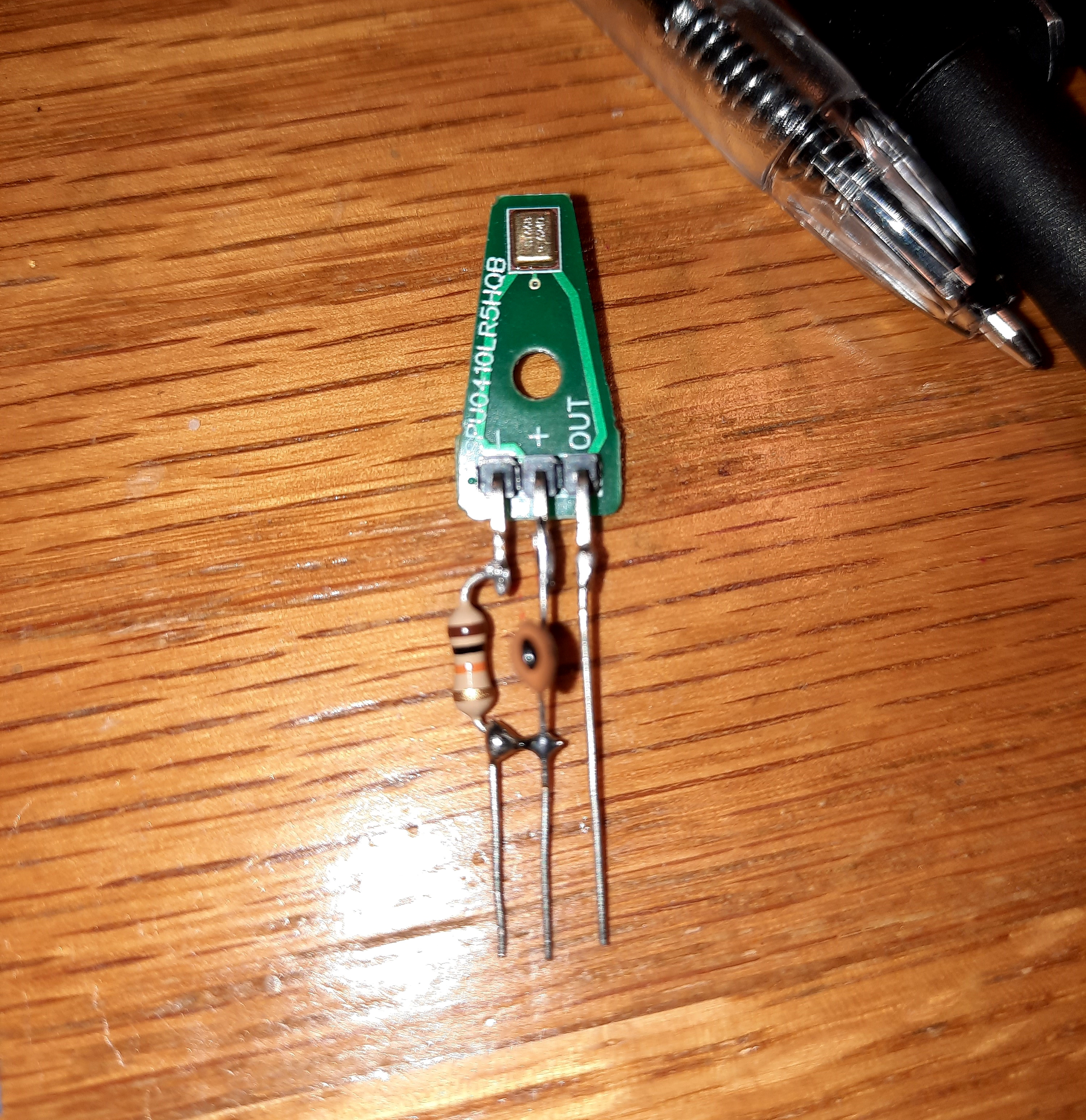
Also, I've been keeping busy trying to build a (working!) DIY bat detector kit... I can't share much about this particular recorder yet. What I can tell you about it is:

  • I've only assembled 2 so far; of which only one was successful (mea culpa).
  • It uses SMD components (tiny, surface mount components). I will point out, that having only minimal experience with these parts before - delving into the technology has been fun! It's nice to know that all those years of building scale models wasn't for naught!
  • It's a stand alone/static recorder type. Very much like The Audiomoth.
  • I've got the parts to build three more.

But I'm not at liberty to discuss it here (yet). If and when the developer of the unit gives me the green light, I will post about it here profusely...but not until then (I hope you're reading this, Phil!).

Generally speaking, it's been a case of "Necessity being the mother of invention" here lately... Well, sort-of. That's the best analogy I can think of at the moment.

I've been very interested in obtaining some (decent-quality) recordings of my local wildlife. So, again, I've been looking very closely at the currently available devices which would enable me to do this. After some early attempts with the Zoom H1n, I thought it would be ideal, to write a post, comparing the static recorders (under a certain price point). This is still in the early stages, but in progress.

So, Wildlife Acoustics were kind enough to send me a Song Meter Micro, to help in my quest - and in my comparisons of - Static (primarily non-bat), recorders. As many of you are already aware: The Song Meter Micro is a very versatile, and easy to deploy unit. It's also very affordable.

So, in other news - I will be presenting a live webinar review of The TeensyBat 4.1 DIY bat detector kit; for BatAbility Club. This will be on the 16th of January. And viewable by club members (both live, and later in recorded format).

The TeensyBat has turned out to be not only unique; but very capable and versatile. I've also purchased one of the additional (round) DIY Mics, sometimes available on the TeensyBat site (Parts section). I'll be building an external microphone with it, to be tested with the TeensyBat, and other recorders. Hopefully, to include one of the latest AudioMoth units as well! 

I'll eventually be sharing the results of my tests, here on the blog. As well as a fully detailed review of The TeensyBat itself.

There will be a good assortment of topics and discussions here soon (mid to late January) and I hope that you'll find them interesting & enjoyable!

So, until next time:

Happy New Year! And happy bat detecting! 

Tuesday, November 29, 2022

General Thoughts About Active (handheld) Bat Detectors Part 2 of 2

General thoughts & Considerations About Bat Detectors Part 2 of 2


"Ah, but a man's reach should exceed his grasp,

Or what's a heaven for?"

-Robert Browning


What happened was: Once I had The SSF BAT3, and The TeensyBat 4.1 both up and operational:

From left to right: 
SSF BAT3, TeensyBat 4.1, EM Touch 2 Pro (on Kindle tablet).


It occurred to me, that there's one detector which would "fit right in" - The EM Touch 2 Pro.
However, having reviewed The Pro 2 here once before, meant I'd have to make a nuisance of myself - by reaching out to Wildlife Acoustics again, and explaining my intentions... Luckily, they agreed to send me a loaner.


SSF BAT3, EM Touch 2 Pro, TeensyBat 4.1 kit

 
Again, the line-up consisted of: The SSF BAT3, The TeensyBay 4.1, and The Echo Meter Touch Pro 2.

Bottom line: In the end, I decided that The EM Touch 2 Pro from Wildlife Acoustics comes out the overall winner.

The fundamental reasons why are:
  • Excellent performing microphone (sensitive, accurate, and good range).
  • Auto ID of bat species.
  • GPS tracking.
  • Stores full spectrum recordings for later analysis. 
  • It's as dependable as the device it's attached to (cell phone/tablet).
  • Recordings of particular interest, may be accessed & sent to your laptop, for in-depth analysis (fairly quickly & easily).

Performance-wise: 

The Echo Meter Touch 2 Pro from Wildlife Acoustics provides a comfortable listening experience - Featuring the choice of listening with either: RTE (Real Time Expansion), Het (Heterodyne), or TE (Time Expansion).

Microphone sensitivity, pick-up range, and ability to produce good/clear (legible) spectrograms:
The TeensyBat 4.1 was easily the equal of The EM Touch 2 Pro; which is impressive. 
In addition, it's ability to pick-up ultrasounds off-axis was superior (to either of the other two detectors).

The TeensyBat 4.1 also has a fairly unique 'Live Time Expansion' mode - Which is interesting, as well as pleasing to monitor (via ext. speaker). Especially if you're a fan of using time expansion mode. I won't go into it here (you'll have to wait for the TeensyBat review); but I felt compelled to mention it.

Now: Having said all that - Why exactly was The EM Touch 2 Pro the clear winner?

Well, in addition to the 6 bullet points which I listed above...There is a matter of an inconvenient drawback, on the part of The TeensyBat: It cannot record bat passes unattended. Not in a neat, automatic, and orderly fashion anyway.

Explained in another way: A TeensyBat user must be ready to press the Record button when a bat pass is being picked-up, and press the button again to stop the recording. 
In other words, a user needs to continuously attend to the Record button. If not, you can easily end up with very long (and large) recordings; with bat passes being few & far-between. I don't have to further explain how frustrating this can be when you're back at your laptop.

This is in contrast to The EM Touch 2 Pro's ability to: Automatically record a bat pass, stop when the bat is gone, save it, and go back to active monitoring. 
This results in a collection of neat recordings. With those having recorded ("confirmed") bat passes being conveniently marked with the yellow bat icon, which many of us are familiar with.

So, what happened after all these tests? I remembered that there's another, excellent (USB-based) bat detector - which would be an awesome prospect for this comparison! The U384 from Pettersson - It also fits in with it's affordable price point, as well as it's wonderful performance!

The U384 - USB based Bat Detector
As I'd received it for review
(directly from Pettersson)


A closer look at The U384, 
   with the 
included USB adapter.


As you can tell, this topic of discussion has the potential to get out-of-hand! All I'll say at this point in time, is that I recall the excellent performance of this Pettersson unit when I reviewed it. And I firmly believe that The U384 would do very well if it were a part of this detector comparison. I may elaborate on this in the future.

As a side-note: I've been doing quite a bit of experimenting with several external ultrasonic microphones. I'll be sharing all the geeky goodness here on the blog, in the future via Pics, etc. 

Just a sneak peek for now!


😊


So...I'm looking forward to ordering myself an AudioMoth 1.2.0, in the near future. They aren't in stock/available at the time of this writing, but have patience...

*Note: The Echo Meter Touch 2 Pro's are back in stock at Wildlife Acoustics.


Also, at the time of this writing, TeensyBat 4.1 kits are also back in stock.

Spectrograms will be added to this post in the near future. As alluded to earlier: Locating bat calls to create spectrograms of (from TeensyBat recordings) has been rather time-consuming... 

Until next time,

Happy bat recording analysis!

Unless you're enjoying the unseasonably warm Winter The British Isles is having - In which case: Happy bat detecting!
 

Looking for The Next Bat Detector for Review!

Well… For now, I’d just like to say Thank You to The Netherlands! 🇳🇱  There will be 2 new bat detectors tested and reviewed here in the ne...